Updated on 25 Nov 2026
Whether you use a traditional website builder or an AI one, you end up in the same place – a website that tells people who you are and what you do. The difference is how you get there.
If you're still weighing up which type of builder suits your skills and your project, our no-code vs low-code blog covers that. This post instead discusses what building your site actually feels like, day to day, with each approach.
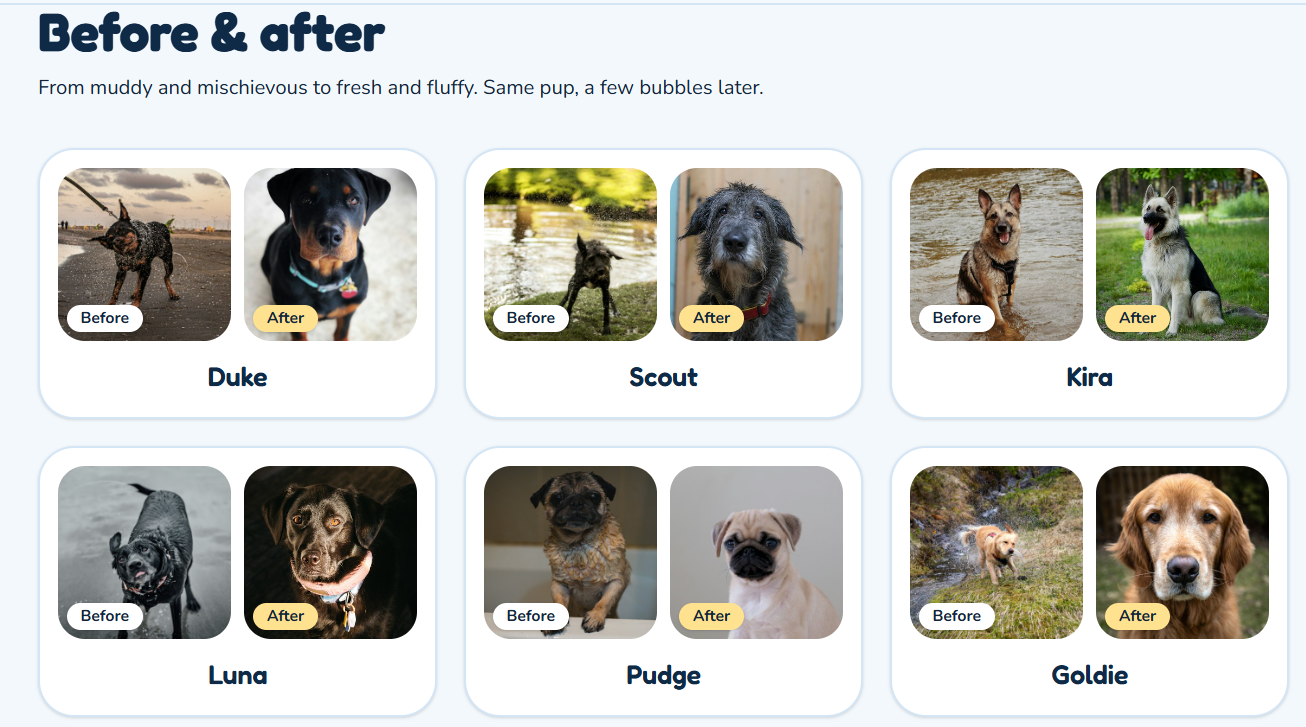
Throughout this blog, we'll use a fictional small business as an example. Meet Muddy Paws, a dog grooming salon that needs a simple site – a homepage, a list of services and prices, a gallery of freshly groomed pups and a way for customers to get in touch. Nothing fancy. Just the kind of site thousands of small businesses need.
Getting started – picking a template vs describing what you want
With a traditional builder, the first job is browsing templates. Muddy Paws scrolls through designs for salons, cafés and personal trainers, looking for one that's close enough. They pick a clean layout with a big header image and a services section, then start swapping the placeholder text and photos for their own.
The upside is that you can see the finished shape before you start. The catch is that you're working inside someone else's idea of a website. If the template has a team page and you don't have a team, you delete it. If it doesn't have a price list, you build one from blocks.
With an AI builder, you can skip the template hunt altogether and start with a blank box and a sentence or two. Something like:
"Create a website for Muddy Paws, a dog grooming salon in Gloucester. We need a homepage, a services page with prices, a gallery and a contact form. Keep it friendly and playful, with soft greens and lots of space for photos."
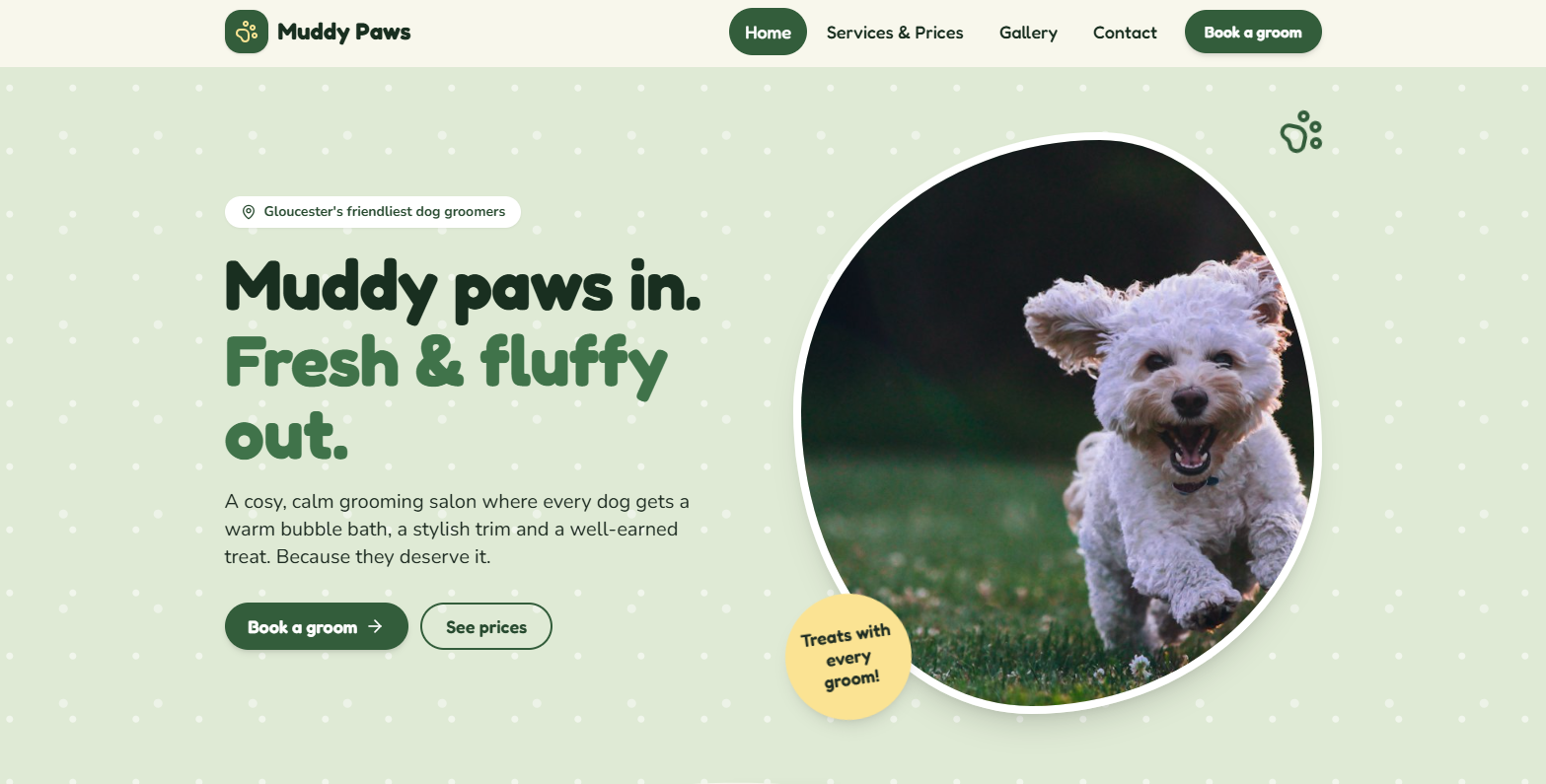
In minutes you get a first draft – the pages you asked for, already filled with some starter content. It won't be perfect, but it's built around your business rather than a generic one. And it's much easier to say "not quite" to something in front of you than to picture a website from scratch.
Prefer to see a design first? Many AI builders, including our AI App & Site Builder, also give you templates for websites and web apps. The difference is what happens next. Instead of swapping placeholder text and photos by hand, you ask the AI to make the changes – “Turn this into a site for Muddy Paws, a dog grooming salon, and add a price list.” So the template is a head start, not a set of limits you have to work around.
Making changes – clicking vs asking
Once there's a first version, most of your time goes on tweaks. This is where the two approaches feel most different.
With a traditional builder, you make every change yourself. Want the services in a different order? Drag them. New opening hours? Click the text box and type. It's hands-on and precise, and you always know exactly what's going to happen. But bigger changes mean more time taken to edit. If Muddy Paws decides to switch from green to blue, that's every button, heading and background, page by page.
With an AI builder, you ask for the change in plain English. "Make the colour scheme blue to match our new van" updates the whole site in one go. "Add a page about our puppy grooming packages" gives you a new page, already written. It's the big, sweeping changes where AI really earns its keep.
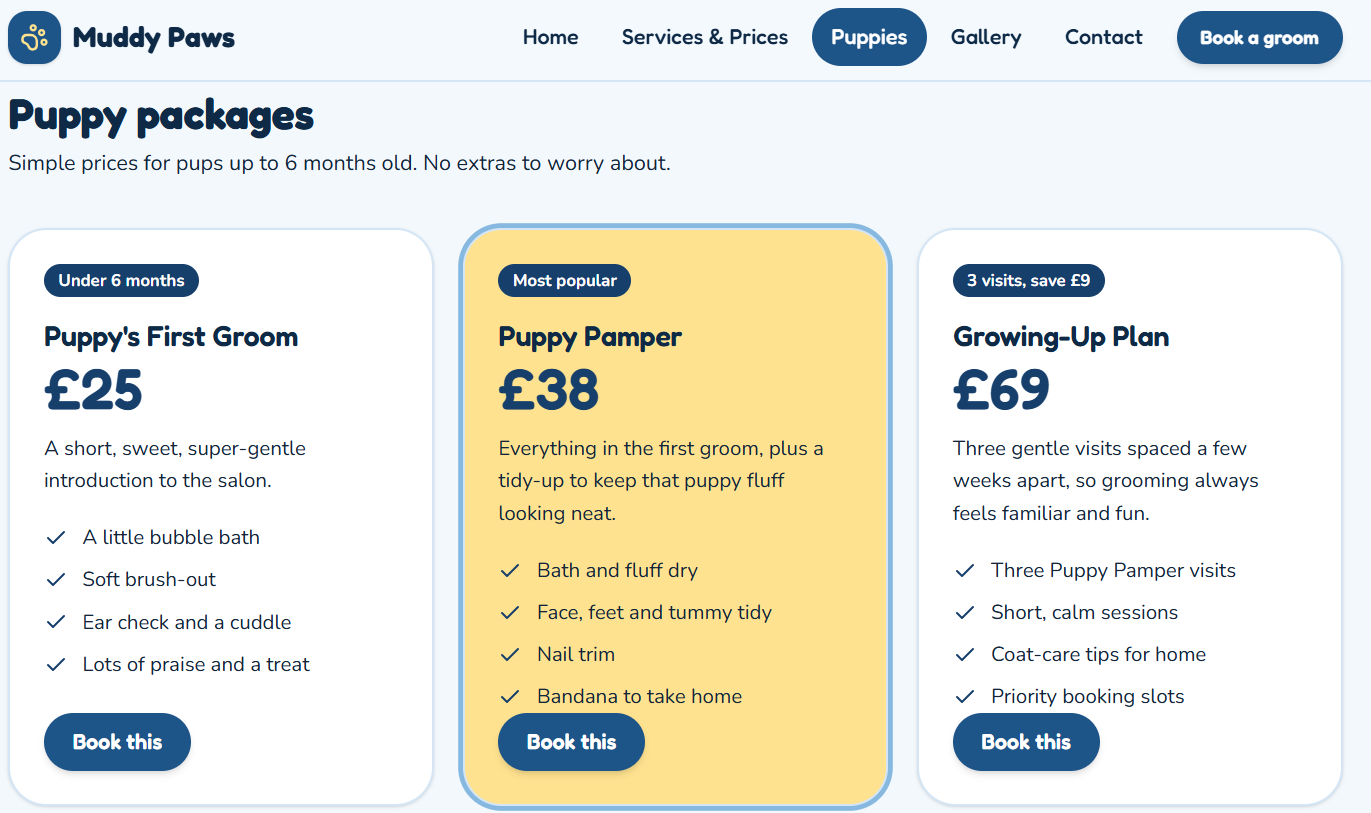
That doesn't mean you have to type out every little thing, though. Some jobs are still quicker by hand. In the Fasthosts AI App & Site Builder, for example, you can click any image to swap it for one from the stock gallery or upload your own photo – handy when the groomers have a new before-and-after shot to show off.
The best way to think about it? Describe the big stuff, click the small stuff.
Getting it right – working around limits vs refining your requests
Every builder has a point where what you want and what you've got don't quite match. How you close that gap is different with each one.
With a traditional builder, the limits come from the template and the blocks on offer. If Muddy Paws wants a booking-style price calculator and there isn't a block for it, they'll need to find a workaround, compromise on the idea or bring in some extra help. What you can build is set by what the builder gives you.
With an AI builder, the limit is more about how clearly you explain what you want. Ask for "a nicer gallery" and you'll get the AI's best guess. Ask for "a gallery with before-and-after photos side by side, three to a row, with the dog's name underneath" and you'll get much closer first time. Getting good results is a bit like briefing a designer – the more detail you give, the less back and forth you need. Our vibe coding blog has more on how this works.
This is also where credits come in. Each request you make to the AI uses credits, and every Fasthosts AI App & Site Builder package comes with a monthly allowance. Clear, specific requests tend to get the job done in fewer goes, which makes your credits go further. If you're new to credits, our guide to how credits work explains it all.
What stays the same – your knowledge and your judgement
AI changes how a website gets built, but it doesn't change who knows the business best.
The AI can write a decent services page, but it doesn't know that Muddy Paws' regulars always ask whether nervous dogs are okay, or that the Saturday slots book up weeks ahead. It can pick a friendly colour palette, but it can't tell you whether it feels like your salon. Those calls are yours, and they're what turn a decent site into one that actually brings in customers.
So whichever builder you use, you're still the one who:
- Knows your customers – what they ask, what they worry about and what makes them pick up the phone
- Owns your content – real prices, real photos and real details that only you can give
- Decides what's right – checking every page, fixing anything that's off and making sure it sounds like you
An AI builder does the heavy lifting, but you're the one steering. And if you'd rather have a professional on board for bigger projects, AI and expert help work well side by side.
So which way of working suits you?
There's no wrong answer – it's about how you like to work.
If you enjoy being hands-on, like seeing every option laid out and want full control over each detail, a traditional builder will feel right at home. The Fasthosts Website Builder gives you professional templates and a simple drag and drop editor, so you can shape every page exactly how you want it.
If you'd rather talk through what you want and get a quick draft, an AI builder could save you a lot of time, especially for the big jobs like setting up pages, writing first drafts and changing the look of your whole site. The Fasthosts AI App & Site Builder lets you build by describing what you need or starting from a template, then fine-tune with more requests or by clicking to edit.
Either way, Muddy Paws ends up with a website they're proud of. The only real question is which journey sounds more like you.