Your WordPress site just got a whole lot smarter. Here at Fasthosts, we’re all about looking for the next way forward with AI. As part of this, we’ve introduced MCP (Model Context Protocol) for our Hosting for WordPress. This means you can now integrate AI agents, like Claude Desktop) into your WordPress site, without the complexity and expertise usually required.
Read on for more info.
How to integrate
Normally, connecting an AI agent to WordPress via the MCP involves time, effort and knowledge – dealing with Node.js, local proxies, and API keys. We’ve taken that all away and replaced the manual plugin installation with a single ‘AI Connect’ toggle in your dashboard.
You can enable this in just 3 simple steps.
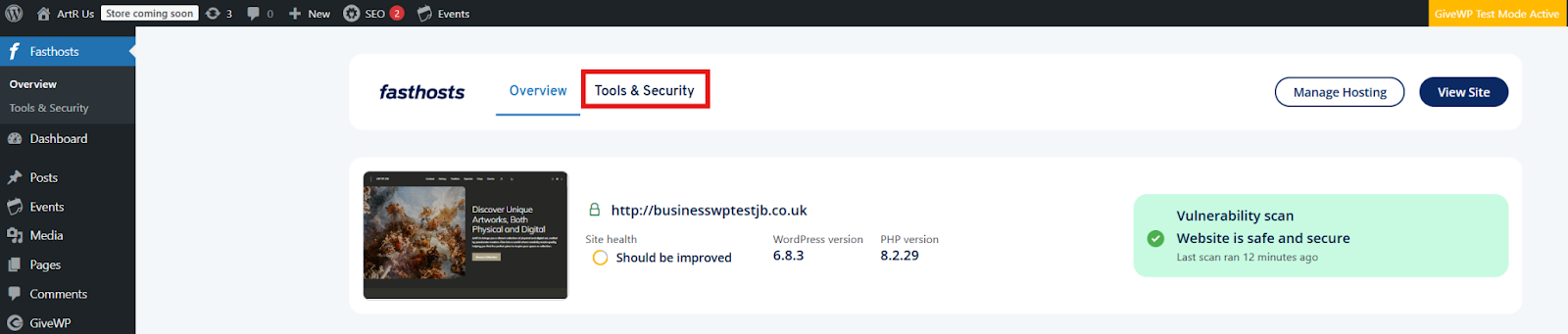
- From the Fasthosts WordPress Dashboard, find and select ‘Tools & Security’.
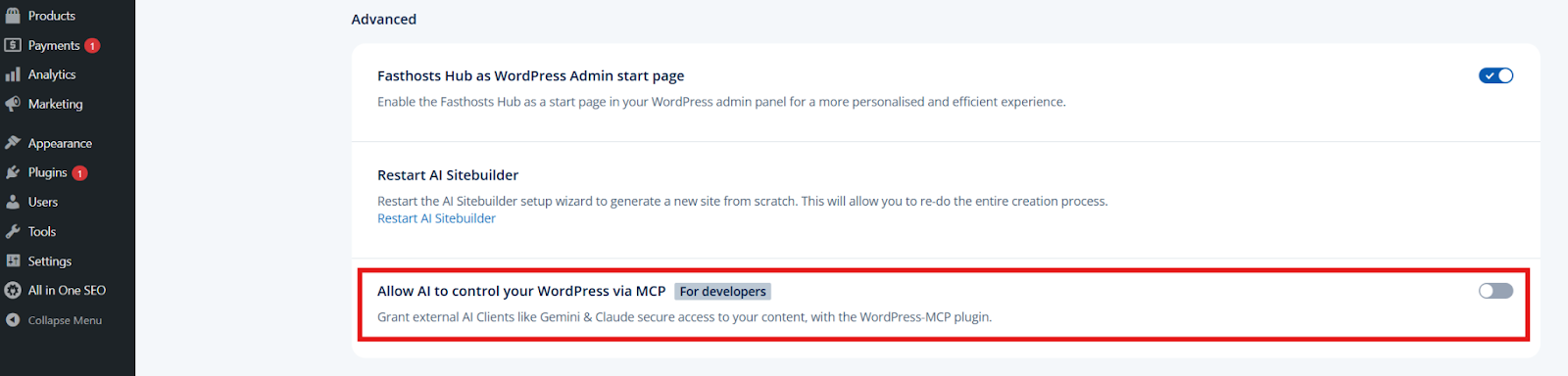
- Scroll to the bottom of the page. Under the ‘Advanced’ section, select the toggle on the right hand side. This is toggled off by default.
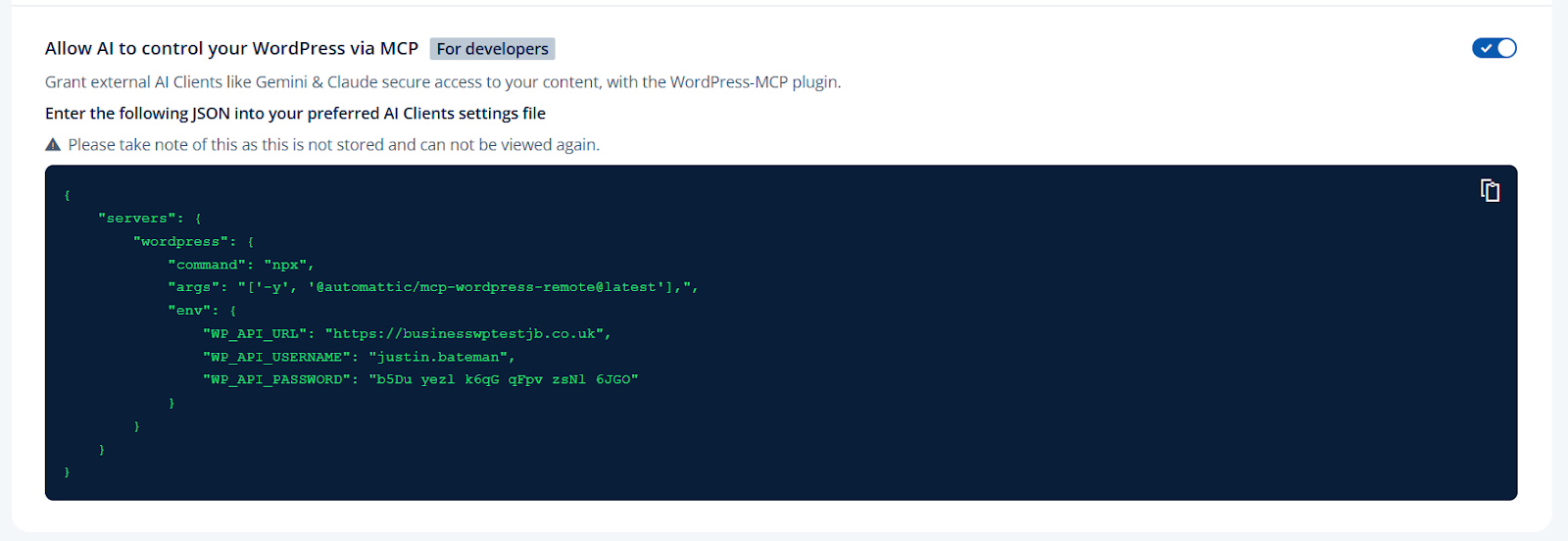
- You’ll then be prompted to ‘Generate an application password for user’. From here, you’ll be presented with a JSON snippet that you can copy and enter in the preferred AI Clients setting file.
What can this feature do for me?
This isn’t just a chatbot – it’s about using AI in a way that can help and deliver hands-on work for your site. The aim is to give you more time to focus on running your business, leaving the background tasks to AI.
For example, you can give AI read and write access. This means it can read site content (posts, pages, and comments) and perform actions, like creating drafts, updating plugins, or approving comments.
There’s no more need to hunt around for plugins, or spend hours updating your site. Everything can be done for you.
If you decide you don’t want AI to have access any more, you can simply toggle the feature off in the same way you turned it on.
Use cases
Here are some examples of how you can use the AI integration feature to your advantage:
- Content creation – instead of copying and pasting text back and forth between ChatGPT and WordPress, you can tell your AI, ‘Read my latest draft, fix the SEO, and rewrite the introduction directly in the CMS’. The AI will then update the database itself, saving you time and hassle.
- Site structure – you can tell the AI, ‘Create a new page called ‘Spring Sale’ with a header and 3 product categories’. The AI will build the page structure instantly, so you just have to think about the design.
Sit back and relax – it’s all under control
If this sounds like the answer to your prayers, head over to your Fasthosts WordPress dashboard and follow the steps above.
And if you have any questions or need help with any of our products or services, our team is online 24/7. Give us a call on 0333 0142 700 or message us via live chat.